If you follow my ramblings on here, you might remember that earlier this year, I got hacked. 😱 More specifically, someone used a Next.js remote code execution vulnerability to gain access to the server on which I hosted Umami, my analytics solution of choice up until that point.
So I did the sensible thing and completely wiped that system and never bothered setting up Umami again (because it’s a pain, anyway). And while I was being sensible, I did what any other sensible and self-respecting developer would do: I built my own analytics service.
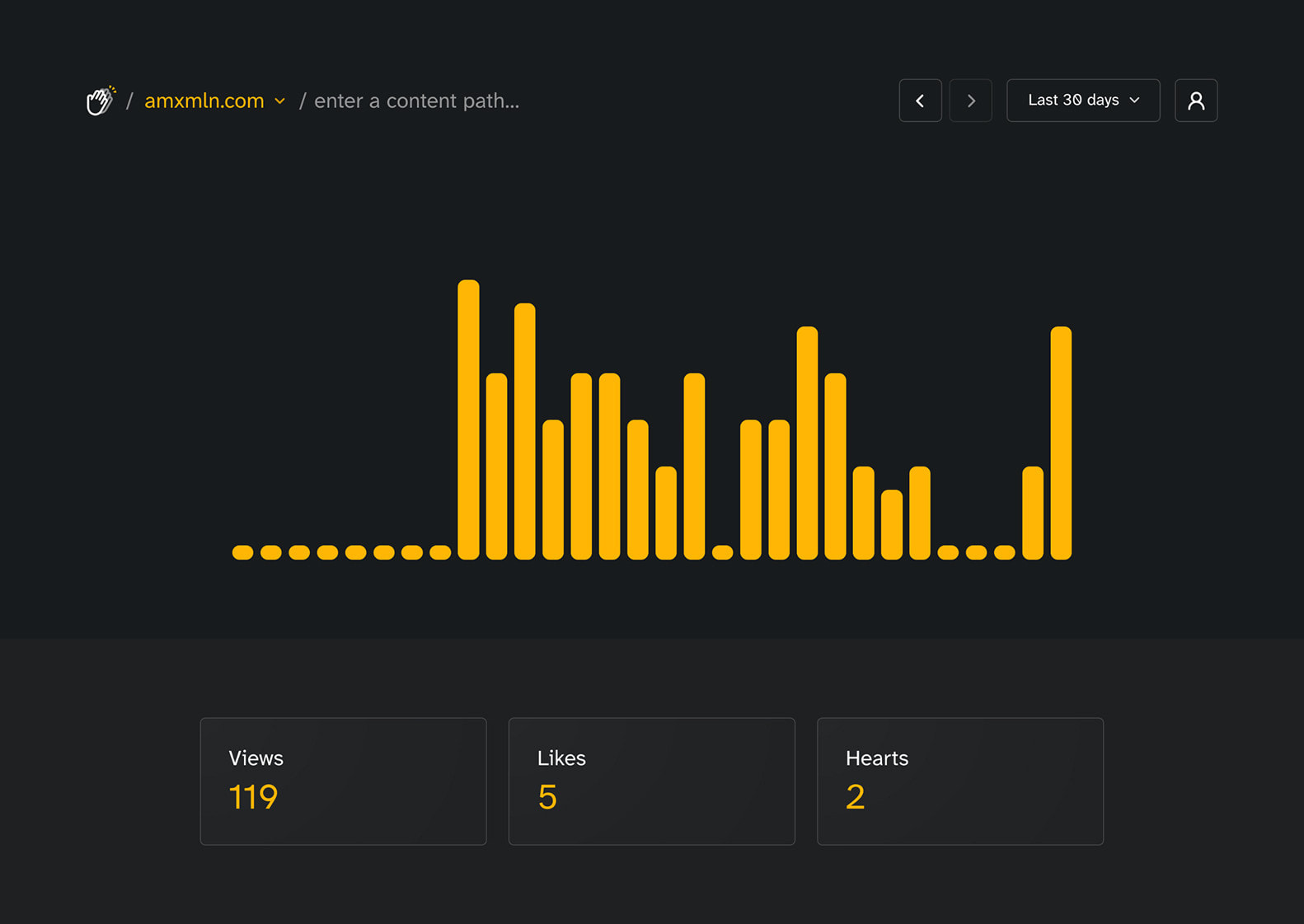
Say Hello to Applause
To be fair though, Applause started way earlier. Back in 2021, I built a blog for a good friend of mine, and they asked me if people would be able to like their posts. They were quite bummed to learn that such a thing isn’t exactly trivial when dealing with a completely static site.
That got me thinking. What if there was a simple, private and easily self-hostable solution to allow such a feature? And thus, Applause was born.
So what is it, exactly? Applause is a PocketBase application that provides an API for very rudimentary (and thus very privacy preserving) web analytics and up to five counters per website that can be easily incremented and queried. This enables all sorts of low-friction feedback methods such as likes, claps, hearts and more.
None of this is groundbreaking or completely new. Hit counters have existed since the early days of the internet, and it seems like plenty of more indie analytics services offer more user-controlled counter solutions these days. What differentiates Applause in my opinion are three things:
- It is extremely easy to self-host (the source code and a guide will be available soon!)
- It’s intentionally simple in the metrics it collects
- It looks and feels good to use (in my opinion)
How it Works
Once a site is registered, Applause distinguishes between two types of events for it: views and counts. A view is an individual hit on the website, expressed by a single post request to the server where Applause is hosted. You can pass the current (or any) path to that request to record it, but you don’t have to.
The application then extracts metadata from that request, such as the user agent and browser locale, and stores those for later display. This data is regularly aggregated to save storage and further increase the privacy of individual visitors.
For me, this data gives all I care about. I see whether or not people look at my things, what their primary language is and what device form factor they prefer. Based on that, I can make decisions on what features to prioritise in my apps.
Sites can query views for particular paths or the entire site, but will only get back the total amount, for example to show an old-school hit counter on their pages.
Counting Claps (or Anything Else)
A count, on the other hand, is a more active interaction. Each path of a site stores five integers. These can be arbitrarily incremented individually or all at once. A per-site configuration setting allows for labelling these counters with anything you like, commonly something like “Likes”, “Hearts”, or “Claps”—which are what Applause gets its name from.
I imagine that developers making use of the counters will store the interaction in the local storage of the user’s browser to have some semblance of persistence, but it’s not required. The server doesn’t know anything about who changed a count. It only keeps track of the totals and aggregated interactions to display them over time.
Similar to views, the counters can easily be queried so a blog post could show the total amount of likes it received.
A Note on Security
The app has some rudimentary security in place to limit the amount of requests and filter out automated interactions, but the stateless and privacy respecting nature of the system makes it fairly easy to manipulate the counters if you know what you’re doing.
For me, that’s okay, but for you, it means you probably shouldn’t use the system for serious polls or data that needs to be absolutely accurate. If you’re in need of that, there’re plenty of alternative solutions on the market.
How it Looks
One major gripe I have with many open source analytics solutions is how they look and feel. They often seem a bit outdated and hard to use—so that’s something I’ve tried improving upon.
Applause consists of one single dashboard with the signature audio-visualiser style of combined stats which can be manipulated via various buttons to show only data for views or specific counters. There’s simple shortcuts for the most important actions, which allow quick switching between multiple sites or dialling in the display range.
By default, it shows the data for all paths over the past 90 days. Although due to the aggressive aggregation, only the last 24 hours have hourly granularity. For anything past that, the data is aggregated into days. I find that that is perfectly fine for most use-cases. There’s also a way to only show data for particular paths, with auto-completion for known URLs.
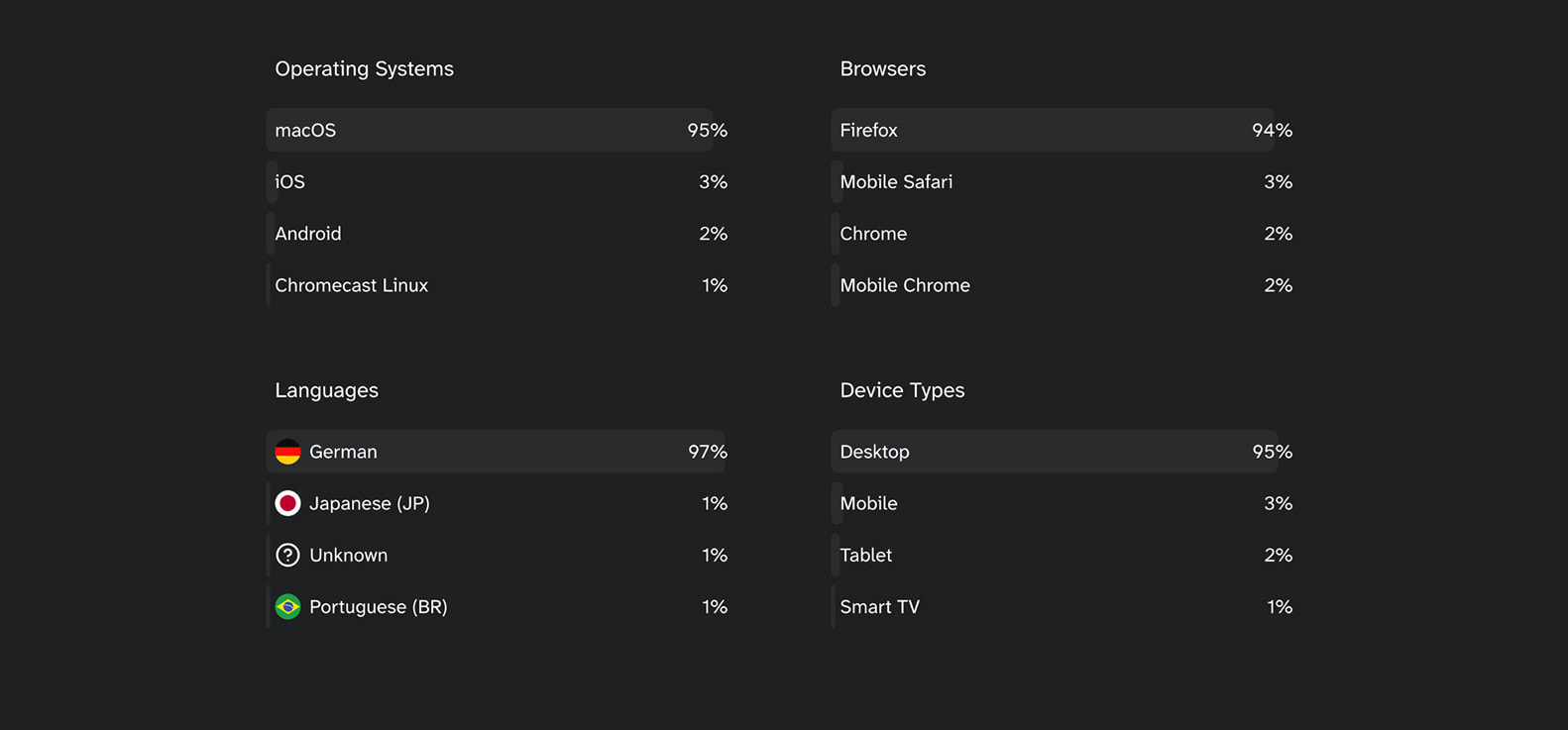
Beyond the counters themselves, there’s also sections for operating systems, browsers, languages, and device types to give you a rough idea who is looking at your pages. Again, this data is aggregated and simplified. I find I don’t have a need for interactive maps or big graphs. I just need to see if most of my users are using Safari in Brazilian Portuguese, so I can account for that.
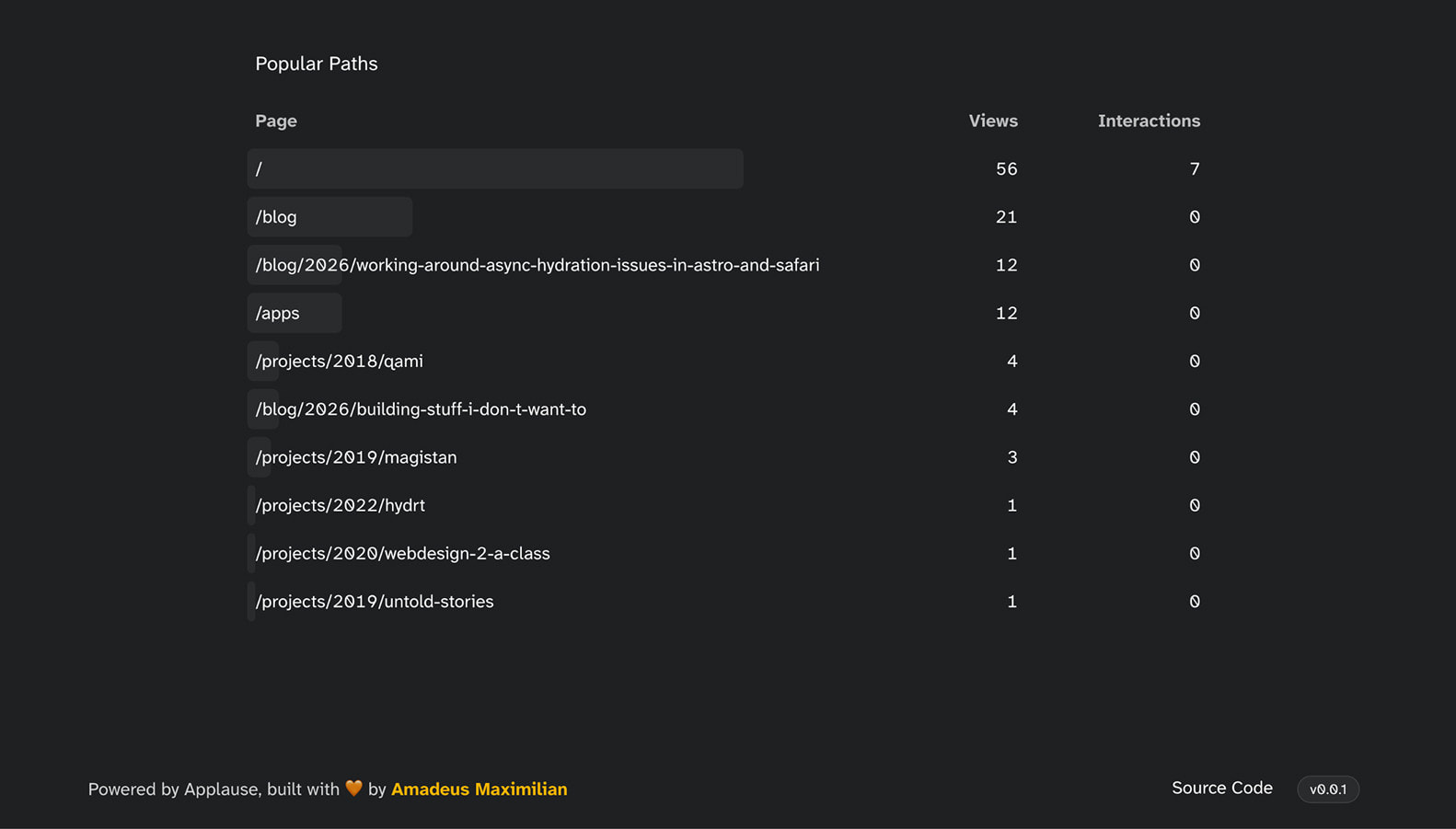
I also like to know what articles are doing well on my blog, so there’s a section for popular paths at the very bottom of the dashboard.
Managing Sites and Sharing Stats
Adding a new site can be done straight from a modal the dashboard, all you need to provide is an origin. Since Applause is not intended to be a single, centralised monolith serving thousands of users, I opted out of complex domain verification. You have to control the page running at that domain anyway to collect any data, and it will be extremely unlikely that another user on your instance would add your domain, blocking you from adding it yourself.
One thing I did want to enable, however, was sharing stats for one site with other people. I am imagining web developers wanting to share view data with their clients, for example. In Applause, this is as simple as putting their email address into a field.
In the background, this will create a guest account for that email and notify the user that they were invited to view the data for that site. If the site is deleted or the site no longer shared with that email, the guest account will automatically be cleaned up.
Guests, like regular users, sign in using a one time code, so nobody needs to remember yet another password.
The Admin Dashboard
PocketBase ships with a dedicated, visual admin dashboard. So in the interest of avoiding extra work, all administrative tasks such as creating new users, adjusting rate-limits and inspecting the logs, these things are delegated to the PocketBase admin UI.
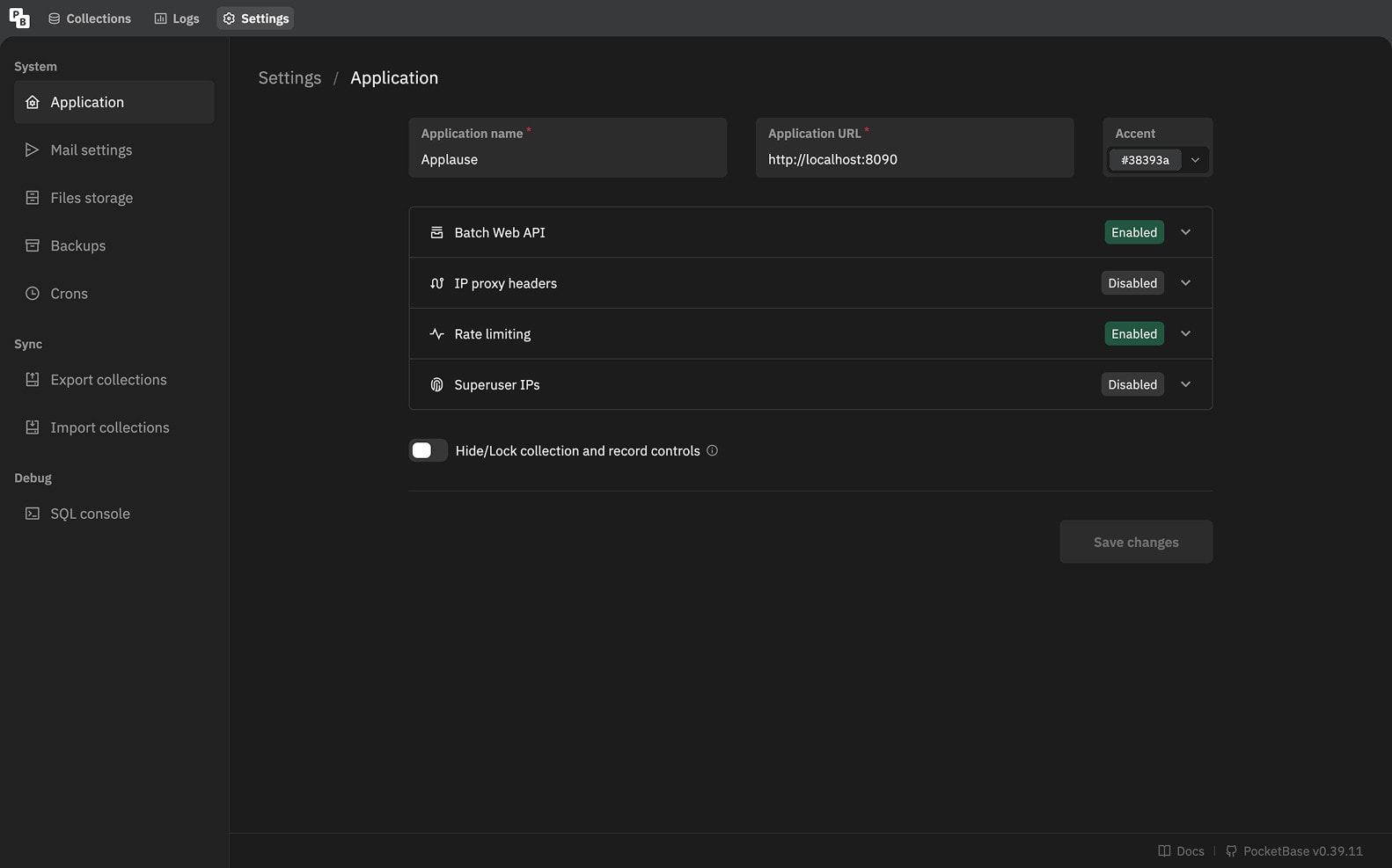
When setting up Applause for the first time, you will be creating an admin account, which is separate from the regular Applause accounts, as this one allows you to log into the admin UI. It cannot be used in the frontend of the app itself.
I explicitly decided against allowing random users to sign up for an account at an Applause instance. There simply is no UI for it and the API is blocked for non-admin accounts. I hope this will help people understand that they can easily host Applause for themselves and their friends and or clients instead of having to rely on some big centralised service.
Coming Up Next
As many of my other apps, Applause is one of my Evening Projects. I built it in my free time with longer gaps in between, often tired from long days at work. As such, the quality of the code might not be the very best I can produce, but I still think that this project could benefit a lot of people, which is why I am going to release the code under an AGPL licence in the coming weeks.
While the app itself is feature-complete in my book and I have no intention in building it out into a fully-fledged analytics platform, I’d be happy to receive some constructive criticism and other contributions to the project within this scope.
I just need a little more time for writing some migrations to make the initial setup as frictionless as possible and some more testing and clean-up once I have my own personal instance running on a dedicated server. I’ll likely make an announcement over on my Mastodon account and perhaps even publish a detailed guide on how to self-host Applause here on the blog.
So until then, please stay tuned! 😉